ChatGPT
 Claude
 Perplexity

Contents
Three questions settle it on our builds. Do two or more of your developers already ship React? Are more than half of the screens custom-drawn and animated? Does the app need two or more hardware features, or Apple TV? A yes to the first points to React Native, to the second Flutter, and to the third native Swift and Kotlin.
- Flutter: 3.50, released 11 November 2026
- React Native: 0.88, released 15 October 2026
- Native threshold: two or more hardware must-haves
What are Flutter and React Native?
Flutter is Google's open source framework for building natively compiled apps for iOS and Android, the web, desktop and embedded devices from a single codebase. It is managed by Google, with contributions from a global community.
React Native is an open source framework for building Android and iOS apps with React and each platform's native capabilities. Its code is developed and supported by many companies and individual core contributors.
Both let one team write one codebase for both phones, but they differ in language and in how the code reaches the screen.
| Flutter | React Native | |
|---|---|---|
| Who runs it | An open source project managed by Google | Developed and supported by many companies and core contributors |
| Language | Dart, with sound null safety | JavaScript or TypeScript; new projects target TypeScript |
| How the screen is drawn | Its own widgets, painted by the Impeller engine | Native Android and iOS views, created at run time |
| Platforms in its own docs | Android, iOS, web, Windows, macOS and Linux | Android and iOS; others through partner and community projects |
How Flutter and React Native draw the screen
Flutter: an engine that paints every pixel
Flutter is built in layers: an embedder gives each operating system an entry point, and the engine, written mostly in C++, rasterises each new frame. The Dart framework above it adds layout and widgets.
Flutter compiles Dart ahead of time into ARM or x64 machine code and paints with Impeller, which is the only engine on iOS and Android's default from API level 29. Impeller ships inside the app, so updating the app brings Flutter's latest performance work even to phones whose Android version never changes.
React Native: JavaScript driving native views
In React Native, JavaScript describes each screen with React components, and the phone's own views draw it.
React Native 0.82 was the first release built wholly on the New Architecture, where JSI lets JavaScript hold a direct reference to C++ objects. Hermes, its default engine, turns JavaScript into bytecode during the build to speed up start-up.
The New Architecture also reads layout information synchronously, so users never see a half-finished state, and supports React's concurrent rendering features.
Dart vs TypeScript: language and testing
Flutter code is Dart, which has sound null safety: a value can never be null unless the code says it can. React Native code is JavaScript or TypeScript, and new React Native projects target TypeScript by default.
In the Stack Overflow Developer Survey 2026, 62.0% of 14,099 respondents reported extensive JavaScript work and 43.8% TypeScript, while Dart is missing from its top ten. So a React web team can review a React Native change on day one, which in our view matters more than syntax.
Testing in Flutter and React Native
For tests, the default React Native template ships with the Jest testing framework. Flutter's testing docs rate integration tests highest for confidence, but also highest for upkeep and slowest to run. So they advise many unit and widget tests, plus enough integration tests for the key cases. Our rule in both: integration tests for sign-in and payment run on real phones before every release.
Is Flutter faster than React Native?
In our view, neither is faster for every app. Both frameworks' docs aim at 60 frames a second or more, so speed is judged against the lines the phone platforms publish.
The speed and size figures the platforms publish
The speed figures below follow Android's documented lines for rendering, Google Play Console Help and Apple's responsiveness guide. The size figures are those given in Flutter's app size page, the Expo app size guide and the React Native 0.76 release post.
| Figure | Published by | |
|---|---|---|
| One frame at 60 frames a second | Under 16 ms (React Native 16.67 ms, Apple 16.7 ms) | Android, Flutter, React Native, Apple |
| One frame at 90 and 120 frames a second | 11 ms and 8 ms (Apple 8.3 ms at 120) | Android, Apple |
| Slow frame | 16 ms to 700 ms | Android |
| Frozen frame | 700 ms to 5 s; over 5 s is app not responding | Android |
| Session flagged | Over 50% of frames above 16 ms, or over 0.1% above 700 ms | Google Play Console |
| Slow start | Cold 5 s or more, warm 2 s or more, hot 1 s or more | Google Play Console |
| A tap that feels slow | Over 100 ms, which causes a hang | Apple |
| Flutter demo app (Flutter 1.17), iPhone 11 | About 5.4 MB download, 13.7 MB installed | Flutter |
| Minimal React Native app | Just under 4 MB App Store download | Expo |
| React Native 0.76, Android | About 3.8 MB (20%) smaller; median start-up about 15 ms (8%) faster | React Native |
Apple's launch-time guide gives no target figure.
How we hold our apps to these lines
We judge speed per screen against those lines. When the eight tests below split evenly, we build the heaviest screen in both frameworks and score it.
That two-week spike also allows no frame over 5 seconds, which Android counts as app not responding. It leaves out the first frame of a new screen, which Android expects to take longer. Our own lines sit beside them: under 5% of frames slow, and a cold start under 2 seconds on a three-year-old Android phone. The screen must also take no more than 4 days in each framework.
Our released apps run at the phone screen's own rate of 60, 90 or 120 frames a second, inside every speed line in this table. We build them to Android's own performance guidance and Flutter's own performance guide.
Flutter and React Native pros and cons
Flutter: strengths and limits
Strengths: Flutter uses its own widget set rather than each phone's controls, and its supported list also covers the web and desktop.
Limits: UK hiring for Flutter is small, with 20 permanent adverts citing it in six months. There is no tvOS target, and 3.50 deprecates the bundled Material and Cupertino libraries.
React Native: strengths and limits
Strengths: React and TypeScript teams can work in it from the start, its screens use each phone's own views, and Expo Update sends JavaScript fixes between store reviews.
Limits: only the latest three minor releases are maintained, so in our view a running app needs regular upgrades. Desktop, TV and the web rely on partner and community projects, and several native modules need a development build.
Flutter vs React Native UI: drawn widgets or native views
Flutter builds every screen from widgets, a model its docs say takes inspiration from React. It has its own implementation of each control, so even a toggle is drawn by Flutter in Dart rather than borrowed from iOS or Android.
React Native maps its components to the platform instead. At run time it creates the matching Android and iOS views, so system behaviour such as text scaling comes from each phone.
Flutter 3.50 changed how its design libraries ship. The bundled Material and Cupertino libraries are deprecated, new projects use the standalone material_ui and cupertino_ui packages, and dart fix moves older code across. On a running app we plan that move as an upgrade task.
Our rule: choose Flutter when more than half of the screens are custom-drawn and animated. Below that share, design cost alone does not decide it, and the language and hardware tests do.
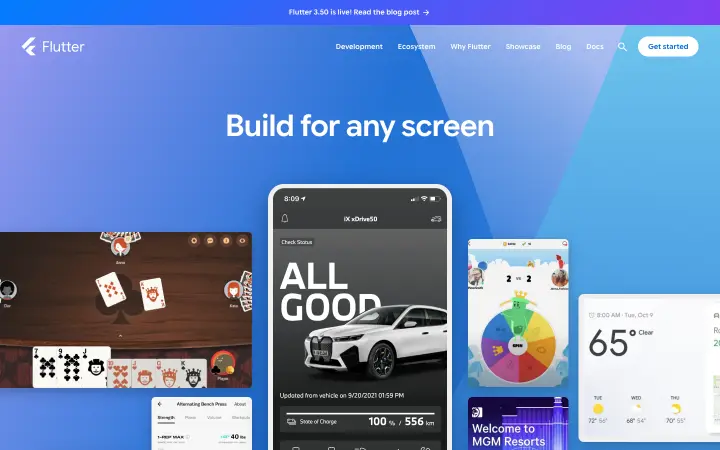
 Flutter home page, captured 15 November 2026.
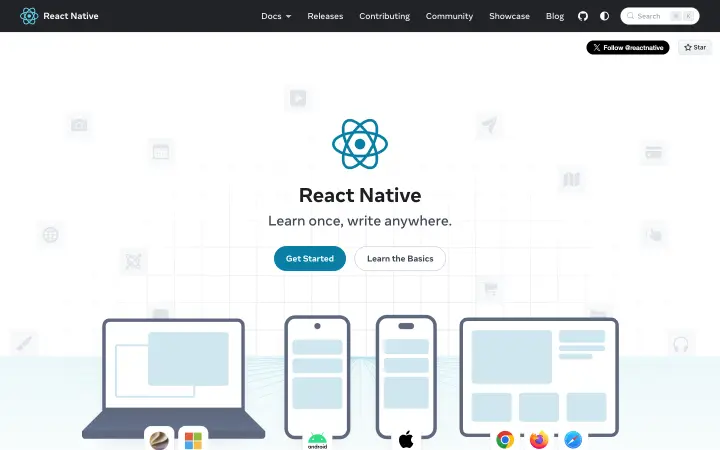
 React Native home page, captured 15 November 2026.
Reading up because you have a project in mind? Ask the developers behind this guide how it applies to yours.
Book a free 30-minute callDeveloper experience: hot reload, DevTools and Expo
Hot reload and Fast Refresh
Both shorten the wait between a code change and the screen. Flutter's hot reload injects changed code into the running Dart runtime and keeps the app's state, though main() and initState() do not run again. React Native's Fast Refresh shows most edits within a second or two, and keeps local state only in function components and Hooks.
Debugging tools
Flutter DevTools inspects layout and state and diagnoses janky frames. React Native DevTools is built on the Chrome DevTools front end, so web developers should find it familiar, while native code is still debugged in Android Studio and Xcode.
Builds and Expo
React Native's own setup guide says most developers benefit from a framework such as Expo. Its hosted Expo Build service builds the store files and can manage the app signing credentials for the team.
For an app headed to the stores, Expo recommends a development build rather than Expo Go: your own version of Expo Go that can use any native library.
Flutter release builds come from its own commands, such as flutter build appbundle for Android and flutter build ipa for iOS, which remove debug symbols and enable compiler optimisations.
Who uses Flutter and React Native: apps we have built
A few examples from the many apps we have built. In each one, the product picked the framework.
Media and streaming, Flutter
Black Movies & TV
- 50,000+downloads of the Android app on Google Play
- 4platforms listed: iPhone, iPad, Android and Apple TV
- 3ways to watch: free with ads, a monthly or yearly plan, or a single rental
Viewers had to find Black film and television in a large catalogue and pick one of three ways to watch. We built one Flutter codebase for iPhone, iPad and Android, and the service also runs on Apple TV.
Read the Black Movies & TV case studySocial and creator apps, React Native
Amara Social
- 1K+downloads on the Google Play Store
Creators wanted many kinds of content in one app, with an audience choice on every post. We built it in React Native with TypeScript, one codebase for both phones, on a Node.js backend.
Read the Amara Social case studyEducation, React Native
Coding school platform
A coding school needed course pages, admissions and learning in one place. We built a React and Next.js website and a React Native app, so the app shares its language and skills with the website.
Read the full case studyEV charging, native Kotlin
Tiger Charge
- 10,000+downloads on the Google Play Store
- 4.1 starsaverage rating from drivers
- Over 40%of charging sessions start in the app with no call to the support team
Drivers find a charger, scan to start and pay from a prepaid wallet. We built the Android app natively in Kotlin, for direct access to maps, the code scanner and ongoing notifications.
Read the Tiger Charge case study
Flutter and React Native packages and native features
Flutter packages are published on pub.dev, which filters them by platform and keeps a Flutter Favorites list. React Native itself is published on npm, and Expo adds a standard library of native modules, the Expo SDK.
Packages for ten common app features
Many of these packages ask for some set-up in the Android or iOS project; the table notes it where the package's own page says so.
| Flutter package | React Native package | |
|---|---|---|
| Push notifications | firebase_messaging, firebase.google.com: 17.0.1, 23 Oct 2026 | expo-notifications, Expo: 58.1.9, 11 Nov 2026; Android push needs a development build |
| Offline database | sqflite, tekartik.com: 2.4.6, 10 Nov 2026 | expo-sqlite, Expo: 58.0.17, 12 Nov 2026 |
| Card, Apple Pay and Google Pay | flutter_stripe, flutterstripe.io: 15.0.0, 13 Nov 2026; Android set-up steps | @stripe/stripe-react-native, Stripe: 0.85.1, 10 Nov 2026; Apple Pay and Google Pay need a development build |
| Camera and photos | image_picker, flutter.dev: 1.2.4, 6 Oct 2026; iOS Info.plist keys | expo-image-picker, Expo: 58.0.10, 1 Oct 2026 |
| In-app subscriptions | in_app_purchase, flutter.dev: 3.3.1, 18 Sep 2026 | react-native-purchases, RevenueCat: 11.0.2, 11 Nov 2026; real purchases need a development build |
| Maps | google_maps_flutter, flutter.dev: 2.19.0, 14 Oct 2026; Google Maps API key | expo-maps, Expo: 58.0.11, 28 Oct 2026; iOS 17 or later, Google Cloud set-up on Android |
| Apple and Google sign-in | sign_in_with_apple, aboutyou.com: 8.2.0, 27 Aug 2026; google_sign_in, flutter.dev: 7.2.0, 17 Sep 2025; both need set-up | expo-apple-authentication, Expo: 58.0.3, 11 Nov 2026; @react-native-google-signin/google-signin, Vojtech Novak: 17.0.0, 29 Oct 2026, needs a development build |
| Barcode and QR scanning | mobile_scanner, steenbakker.dev: 7.5.0, 1 Nov 2026; iOS camera keys | expo-camera, Expo: 58.0.14, 28 Oct 2026 |
| Live location | geolocator, baseflow.com: 14.1.2, 19 Oct 2026; Android and iOS permissions | expo-location, Expo: 58.0.22, 12 Nov 2026; iOS background mode for background use |
| Video calls | flutter_webrtc, flutter-webrtc.org: 1.6.3, 26 Oct 2026; Android and iOS permissions | @livekit/react-native, LiveKit: 3.1.0, 17 Oct 2026; Android and iOS set-up code |
Where no package fits
Where no package fits, Flutter 3.50 now has stable direct native interop: FFIgen binds C and Objective-C and JNIgen binds Java and Kotlin, with no platform-channel messages in between. React Native uses a Turbo Native Module, where Codegen turns a TypeScript or Flow specification into Android and iOS interfaces.
Our rule: one Bluetooth device or live location in the background is normal work in either framework. Two or more hardware must-haves, or an Apple TV app, mean we price native Swift and Kotlin first.
Other platforms: web, desktop and TV
Web
For the web, Flutter compiles to JavaScript or WebAssembly and draws through its CanvasKit and Skwasm renderers. Its docs call the web most useful for rich single-page apps and existing mobile apps, and less suited to text-heavy pages.
React Native reaches the browser through React Native Web, a community project that renders with React DOM.
Desktop
As of Flutter 3.50, the supported list covers Windows 10 and 11, macOS from Monterey (12), and Debian and Ubuntu Linux. On phones it covers Android API 24 to 37 and iOS 15 to 27, and the team tests iOS 18 and 26 and Android 24 to 37 on every commit.
React Native for macOS, Windows and visionOS comes from partner projects.
TV
Flutter's supported list has no tvOS, and React Native for Apple TV and Android TV is a community project. Our Black Movies & TV app is one Flutter codebase for iPhone, iPad and Android, while the service also runs on Apple TV. For Apple TV screens, we price a native Swift app first.
Is React Native developer in demand?
Yes, in the UK: ITJobsWatch counted 169 permanent job adverts citing React Native in the six months to 15 November 2026, against 151 in the same period of 2025. Flutter had 20, down from 40 in 2025 and 60 in 2024.
In our view a Flutter app is safest with a supplier who keeps Dart skills on the team, because the open market for them is small.
For any hire, ask about one upgrade or store rejection the person handled, and how many days it took.
- 169 vs 20UK permanent jobs citing React Native vs Flutter
- 60, 40, 20UK permanent jobs citing Flutter, same half-year of 2024, 2025 and 2026
- 62.0% and 43.8%developers with extensive JavaScript and TypeScript work
- £90,000 vs £73,250median UK permanent salary, React Native vs Flutter
Flutter vs React Native cost, and the cost of switching later
Flutter is free and open source under a BSD licence, and React Native is MIT licensed. Take one order-tracking app with sign-in, card checkout, a map and an admin panel on both phones. On our two calculators it comes to £24,000 to £40,000 in Flutter and £23,500 to £39,500 in React Native, excluding VAT. To price your own app, use our app development cost page or the calculators on our Flutter service page and React Native service page. The bigger risk is picking wrong, so below is that same app moved to the other framework after launch, in days of work.
| Part | Carries over? | Days |
|---|---|---|
| Backend, API and database | Yes, unchanged | 0 |
| Admin panel on the web | Yes, unchanged | 0 |
| Designs and screen flows | Yes; components re-checked | 2 |
| Screens and navigation | No; rewritten in Dart or TypeScript | 20 |
| Business rules inside the app | No; rewritten and re-tested | 5 |
| Sign-in, card checkout and map | Partly; provider accounts stay, app code is rewritten | 6 |
| Automated tests | No; rewritten | 4 |
| Store listings and accounts | Yes; new builds go through review | 1 |
| Release testing on real phones | Repeated in full | 3 |
| Total | 41 |
About 41 days of rework, against a spike that fits inside our two-week discovery. So we would always run the spike first.
- Backend, API and database0
- Admin panel on the web0
- Designs and screen flows2
- Screens and navigation20
- Business rules inside the app5
- Sign-in, card checkout and map6
- Automated tests4
- Store listings and accounts1
- Release testing on real phones3
Total41
Ready to turn the plan into a price? Get scope, timeline and a price range in writing within two working days.
- 30 min to reply to a new enquiry
- 2 days to a written view of scope, time and price
- 95%+ delivered on or before the agreed date
Is Flutter still relevant in 2026? Releases and support windows
| Flutter | React Native | |
|---|---|---|
| Releases in 2026 | Stable releases on 11 February, 18 May, 12 August and 11 November | Minor releases on 9 February, 6 April, 9 June, 11 August and 15 October |
| Latest | 3.50, 11 November 2026 | 0.88, 15 October 2026; 0.89 due 7 December |
| Support window | The release pages state no fixed window | The latest three minors. 0.85, released 6 April, became Unsupported when 0.88 shipped: about six months |
| Last big migration | 3.50 deprecates the bundled Material and Cupertino libraries; dart fix moves code to the standalone packages | From 0.82 the Legacy Architecture cannot be switched on. 0.88 is the third release with no user-facing breaking changes |
| What we plan for | An upgrade pass after each stable release, four in 2026 | At least two upgrades a year, to stay inside the three supported minors |
0.81 was the last React Native release that allowed the old architecture. So an app on 0.81 or older sits at least five minor versions behind the supported 0.86 to 0.88.
- Flutter: 11 February, 18 May, 12 August, 11 November
- React Native: 9 February, 6 April, 9 June, 11 August, 15 October
Flutter or React Native: eight tests with thresholds
Score it: tick each row your app meets. A tick on hardware or Apple TV means pricing native work first. Otherwise the framework with more ticks wins, and a tie means the spike above.
Which test does your app meet?
Two or more of the developers who will look after the app already ship React or TypeScript
Choose React Native. Our view: they can review every change from day one, while retraining them in Dart slows every review until they are fluent.
A React web app whose business rules (prices, stock, checks) the phone app must repeat
Choose React Native. The rules can be shared as TypeScript code. In Dart they are written and tested a second time, about 5 days in our switching estimate.
Custom-drawn screens identical on both phones, with animation on more than half of them
Choose Flutter. Flutter draws each control itself. Our view: screens are 20 of the 41 days in our switching estimate, so this is where the choice costs most.
One phone at launch and the second within 12 months
Choose Either: compare full quotes. On our calculators Flutter prices the second phone as an extra, while the React Native base already covers both phones.
Two or more hardware must-haves, such as a Bluetooth device and live location in the background
Choose Native Swift and Kotlin, quoted by feature. Both frameworks reach native code for these, so on our native code map the native part costs the same either way.
One or more Apple TV screens
Choose A native Swift app for the TV. Flutter 3.50 lists no tvOS target, and React Native on TV is a community project.
You expect to ship JavaScript fixes more than once a month between store reviews
Choose React Native with Expo Update. Expo Update sends JavaScript, styling and images over the air. Apple guideline 2.5.2 bars downloaded code that changes features, so in our view it is for fixes.
A web version from the same code in the first release
Choose Flutter, after a test. Flutter web draws through its CanvasKit and Skwasm renderers. Our view: test it on your real pages first.
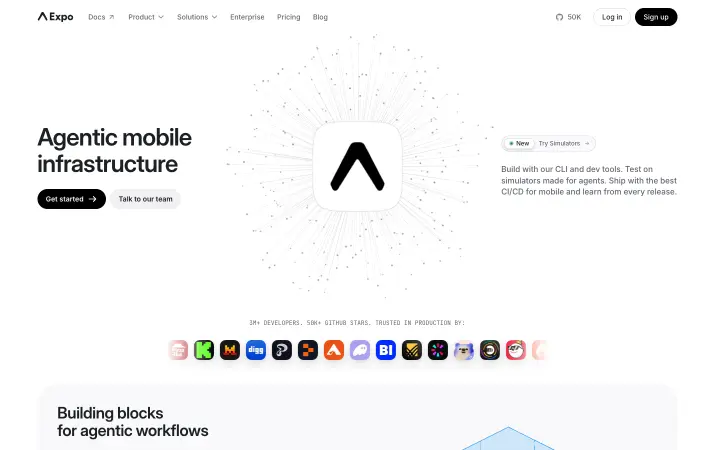
 Expo home page, captured 15 November 2026.
Flutter vs React Native: questions people ask
Is Flutter better than React Native?
Neither wins for every app, and on our calculators the same app costs almost the same in both. Our eight tests decide it: a hardware or Apple TV tick prices native work first, and otherwise the framework with more ticks wins.
Our Flutter app development service
Is Flutter more popular than React Native?
In UK hiring, no: 169 permanent adverts cited React Native and 20 cited Flutter in the six months to 15 November 2026. Advert counts track hiring demand, not how many apps use each framework.
How much does Flutter cost to use?
Nothing for the framework: Flutter is free and open source under the BSD 3-Clause licence, so the cost is the build, and a Flutter MVP with us starts from £15,000.
Which is better for app development, React Native or Native?
React Native for most apps on both phones. Once hardware work, such as live location in the background or several connected devices, rivals the rest of the quote, we price native Swift and Kotlin beside React Native.
Is it better to learn Flutter or React Native?
For UK work today, our pick is React Native, because the hiring figures on this page lean its way. ITJobsWatch counted 169 UK permanent jobs citing React Native against 20 citing Flutter over the half-year to 15 November 2026, and React Native also had the higher median salary.
Is Flutter easier than React Native?
Screens and navigation are 20 of the 41 days in our switching estimate, and that is where a team's language shows. In our view, the framework your developers already ship in is the easier one.